
Activate alerts in RapidReach
When an incident occurs, the activation process must be simple enough to work even under stress – yet sufficiently controlled to ensure that the correct alert is sent to the correct recipient.
RapidReach supports several ways to activate alerts. You can activate via the web, mobile or panel at strategic locations. You can also activate alerts without an internet connection via phone – or automate activation from external systems where appropriate.
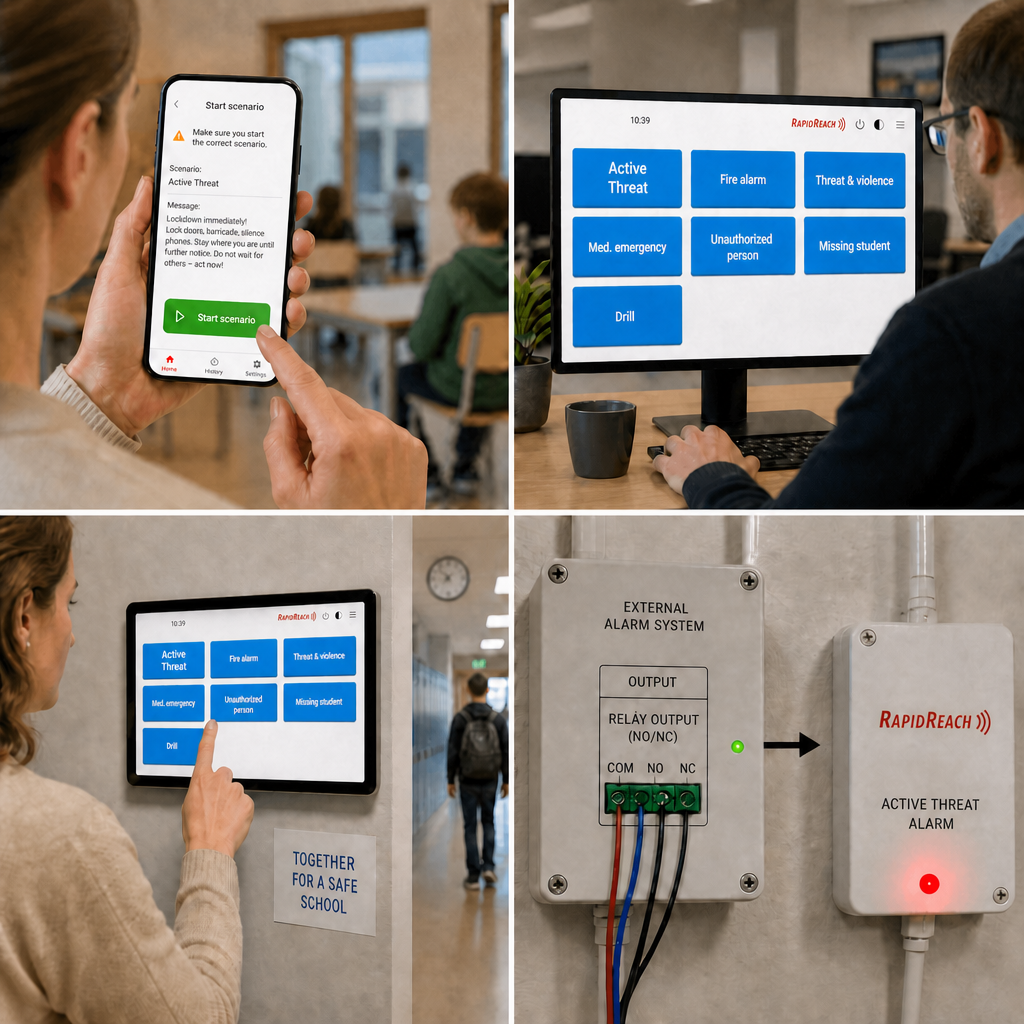
How to start alert
Select the activation method that best suits your procedures and environment
, ranging from manual activation to automated integration alarms.
WEB
Phone
API
I/O
The right people must be able to trigger the right alert
The easier it is to activate, the more important it is that activation is controlled. In RapidReach, you should base your approach on your roles and procedures: who should be able to initiate which scenarios, and from which interfaces?
For many organisations, the aim is to lower the threshold for activation – without compromising on order, accountability and audit trail.


After activation:
Check results, receipts
And next steps
Activation is the starting point – but control is established through follow-up. Once a alert has been triggered, you need to be able to see that it has been received and whether the correct functions are acknowledging it and acting in accordance with procedure.
This is where RapidReach supports incident management in practice: structure, real-time overview and traceable communication.
Common scenarios where rapid activation
Is crucial
In certain scenarios, the simplicity of the activation process is the decisive factor. Here are four examples where clear and rapid activation is often required in accordance with standard procedure.
FAQ – Frequently Asked Questions
Yes, depending on the setup, phone activation can be used to operate independently of the internet.
Yes, depending on your permissions and scenarios, the app can be used for activation.
Yes, using API or a digital I/O unit, alert can be triggered from external systems
No. You can define alert ad hoc. Many people use a combination: scenarios for the most common scenarios and ad hoc when the situation calls for it.
Yes. For example, with fixed panels in strategic locations and clear scenarios.
We’ll show you how the solution can be tailored to your needs, your organisation and your circumstances.
Would you like to see how the launch of alert can be customised for you?
We’d be happy to show you how to set up scenarios, permissions and activation paths
So that alert can be triggered quickly – yet in a controlled and traceable manner.